

When setting up Expert Advisors, debutant traders often face many questions. They are often interested in what the GMT offset parameter is, as well as the rules for setting it.
In fact, this parameter is available in almost any trading Expert Advisor. But not everyone knows how to set GMT offset correctly. In fact, the rules for setting it are not complicated – the trader only needs to write down a specific difference in the “Settings” column: the time of the reading from the GMT time.
Why do I need GMT offset?
So, what is GMT in principle? GMT stands for Greenwich Mean Time. In this regard, this format is used in the course of online time abstraction.
By the way, according to the standard, the prime meridian is considered to be the starting point of time for the entire planet. And at the same time, it does not depend on time zones, so it is a time standard. According to this standard, the most correct time is traditionally determined anywhere in the Earth.
In Forex, this is also important, as most traders use the same software. Often these are terminals that include the usual list of robots. When setting it, it is important that all trading algorithms that are originally designed to work exclusively at GMT are set to GMT.
What do you need to know about the relationship between GMT and trading rounds?
As you know, the foreign exchange market works around the clock, starting at midnight on Monday and ending on Friday (23:00).
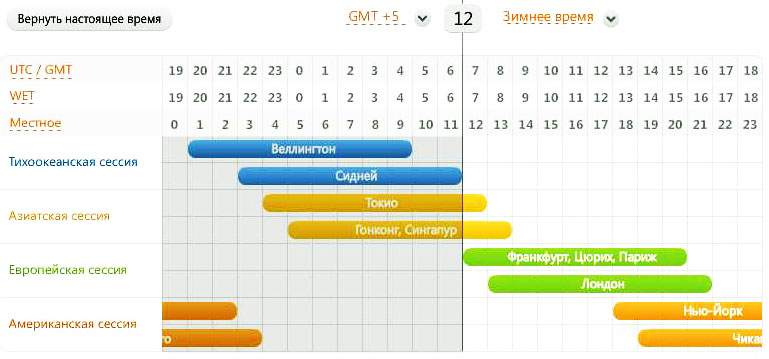
It should be noted that if we talk about trading currency pairs on Forex, it is carried out exclusively during the hours of the greatest activity of trading sessions:
- Asian;
- Pacific;
- European;
- American.
A trader should remember that after the end of one session, the next one opens. And so on in a circle. At the same time, the sessions work at different times (relative to the GMT parameter).
The European and American sessions are the most active. During the Eurosession, trading is held in almost all EU financial centers. In this regard, the indicator of currency volatility increases significantly. In addition, during this period, trading activity in the United States is significantly increasing. This is due to the fact that large amounts of money are concentrated in the EU countries.
At the same time, America has the busiest time during the session at the time when New York trading floors are open. The reason for this is simple – just by this period, European dealers usually end their lunch break.
At the same time, the closure of the Euro session of trading on the eve of the weekend usually provides that only dealers from the United States remain on the exchange. And this provokes a revival of the market. Therefore, the US session is called the most aggressive.
When do you need an Expert Advisor with the GMT parameter?
Different brokerage companies often have noticeably different terminal times. Therefore, when a market player needs the time of the session in the US or Europe for successful trading, or needs to have data on the range of price changes during the session in Asia, the time difference between the terminal and the GMT time is important.
In this regard, the robot includes such a parameter as GMT offset, which is a deviation from Greenwich Mean Time. And it doesn’t matter where the market player operates – the time zone does not matter in this case (although many novice speculators think otherwise). It is for such a difference in the answer that the parameter we are considering. And its correct operation is possible only if the trader has manually configured it correctly.
Do we set the parameter correctly – manually and automatically?
When a trader has learned what gmt is, he is interested in how to set this indicator manually. This is really important. Initially, the player needs to realize what time zone he is in. After that, it is necessary to determine in which zone the broker is located. This can be done by clarifying how much the broker’s time differs from GMT – without this information, the further work of the Expert Advisor is likely to be incorrect.
Immediately you need to find out the time in the terminal. It’s not difficult – just look out the window “market review” and see the watch. After that, the trader should go to the www.gmt.su to activate the special tab “Greenwich Time”.
After that, the player needs to compare the time on the terminal with the GMT time, and the difference will become a necessary parameter that needs to be specified when setting up an Expert Advisor (robot).
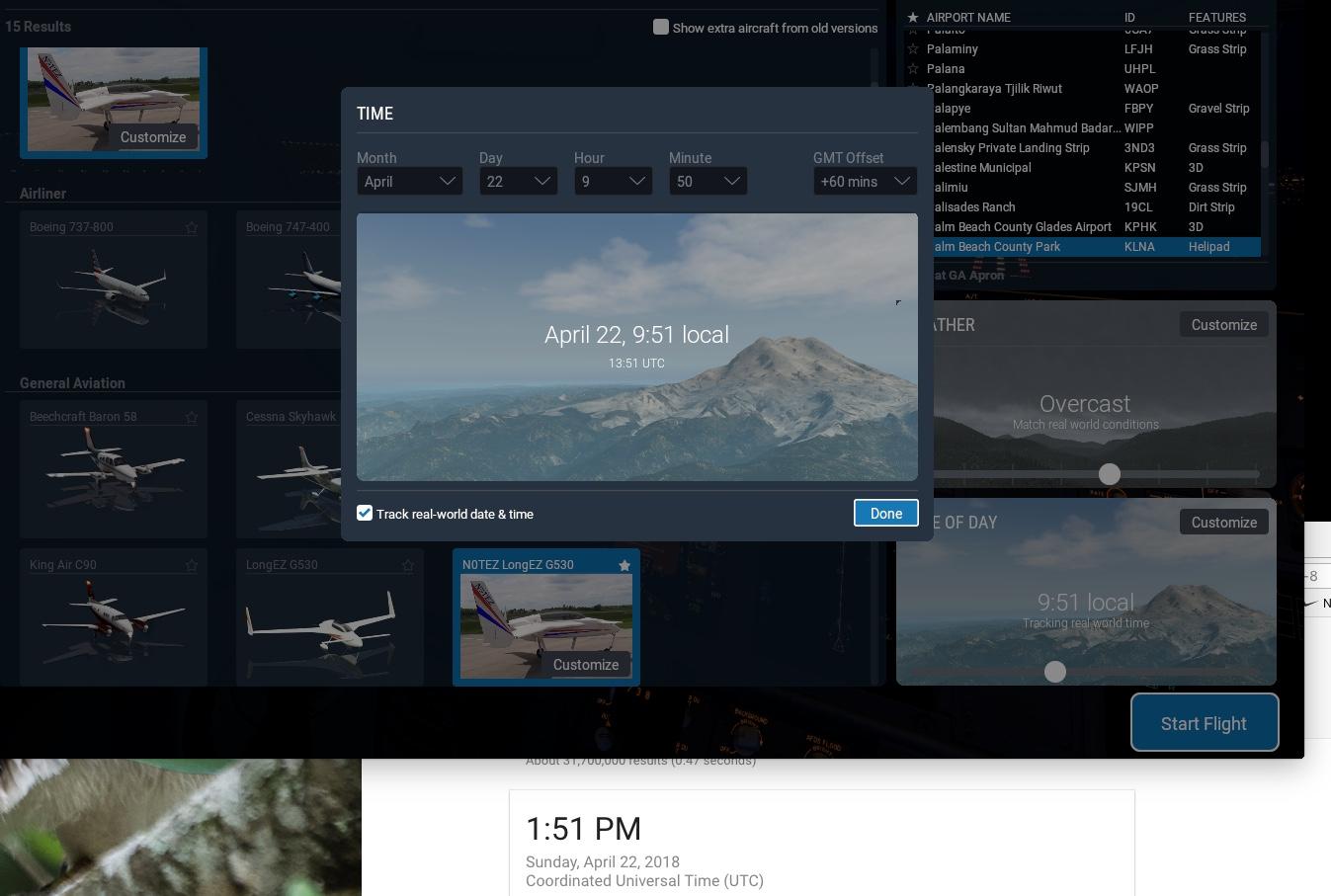
The parameter can also be set fully automatically. For your own broker, the required parameter can be determined by applying the GMT offset indicator. This technical analysis tool can be easily downloaded online and attached to the trader’s trading chart in the terminal. When everything is done correctly, the schedule will change.


